
Manage your sub-dealers and the commission you earn.
What it is for: Lets you follow your dealer network's orders and your earnings.
This chapter covers pages that appear only in dealer accounts.
The My Dealers page lists your dealers and their orders. Use the search field at the top to find a dealer.
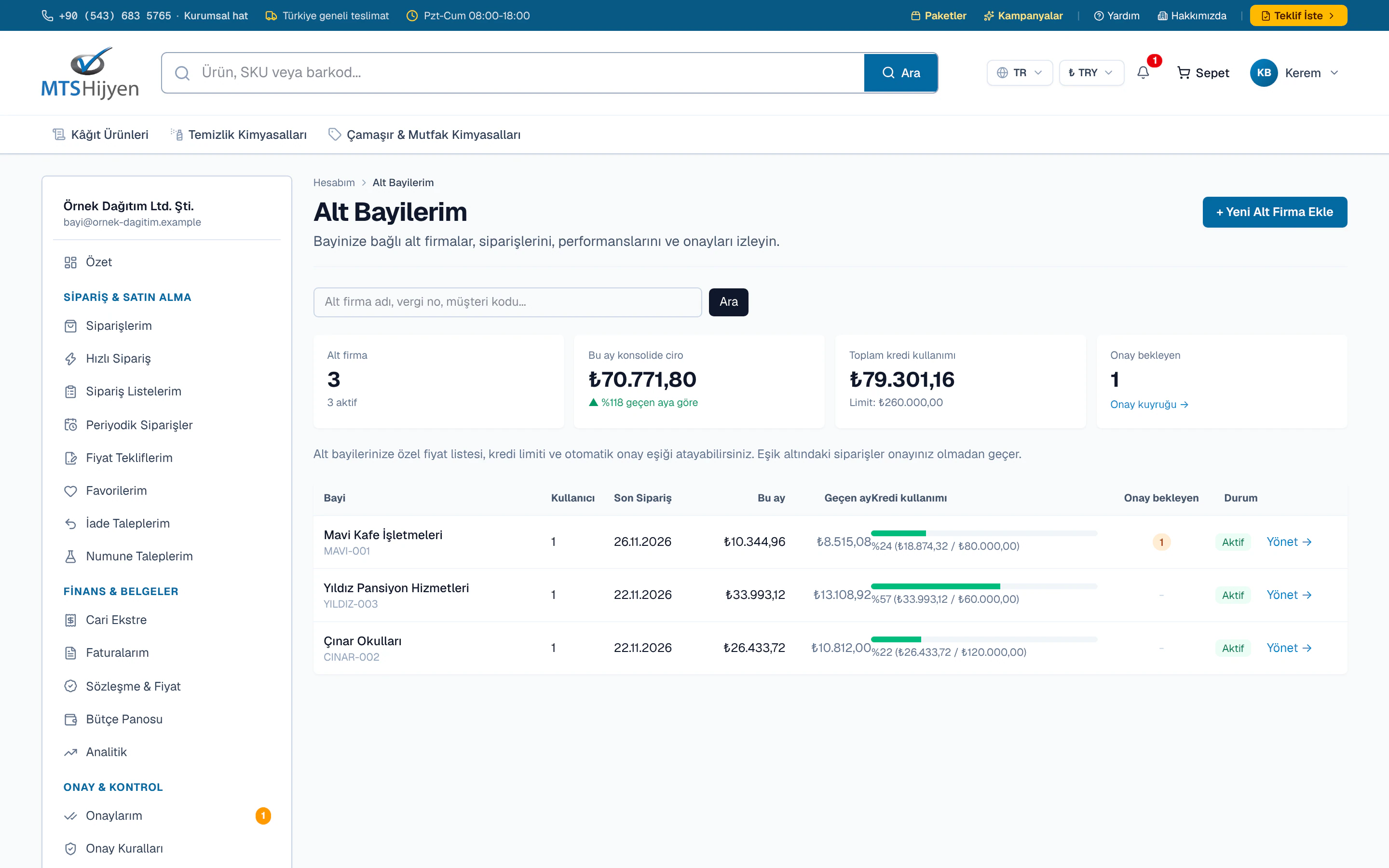
Click + Add Sub-client and enter the company's details.
On the Commission Report page, choose the month and click Filter.
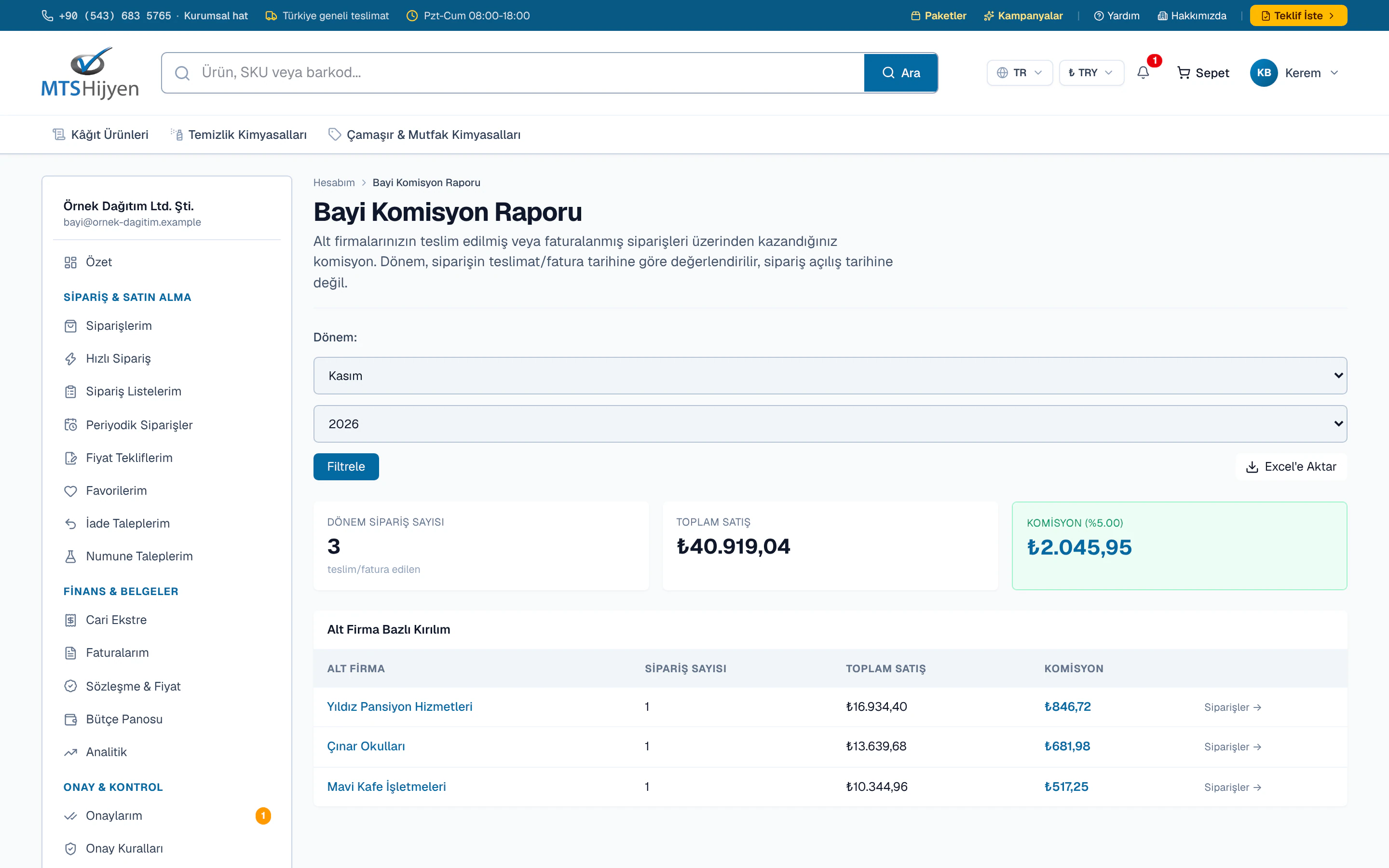
The table shows the commission you earn on the delivered or invoiced orders of your sub-clients.
This link takes you to the page. If you are not signed in, the sign-in page opens first.