
Add products to your cart, apply your coupon and complete the payment.
What it is for: Lets you place a complete order in a few steps.
Click Add to cart on a product page or card. You can open your cart at any time from the cart icon at the top.
Enter product codes and quantities in the rows, or use Paste CSV. Check the rows with Validate, then click Add to Cart.
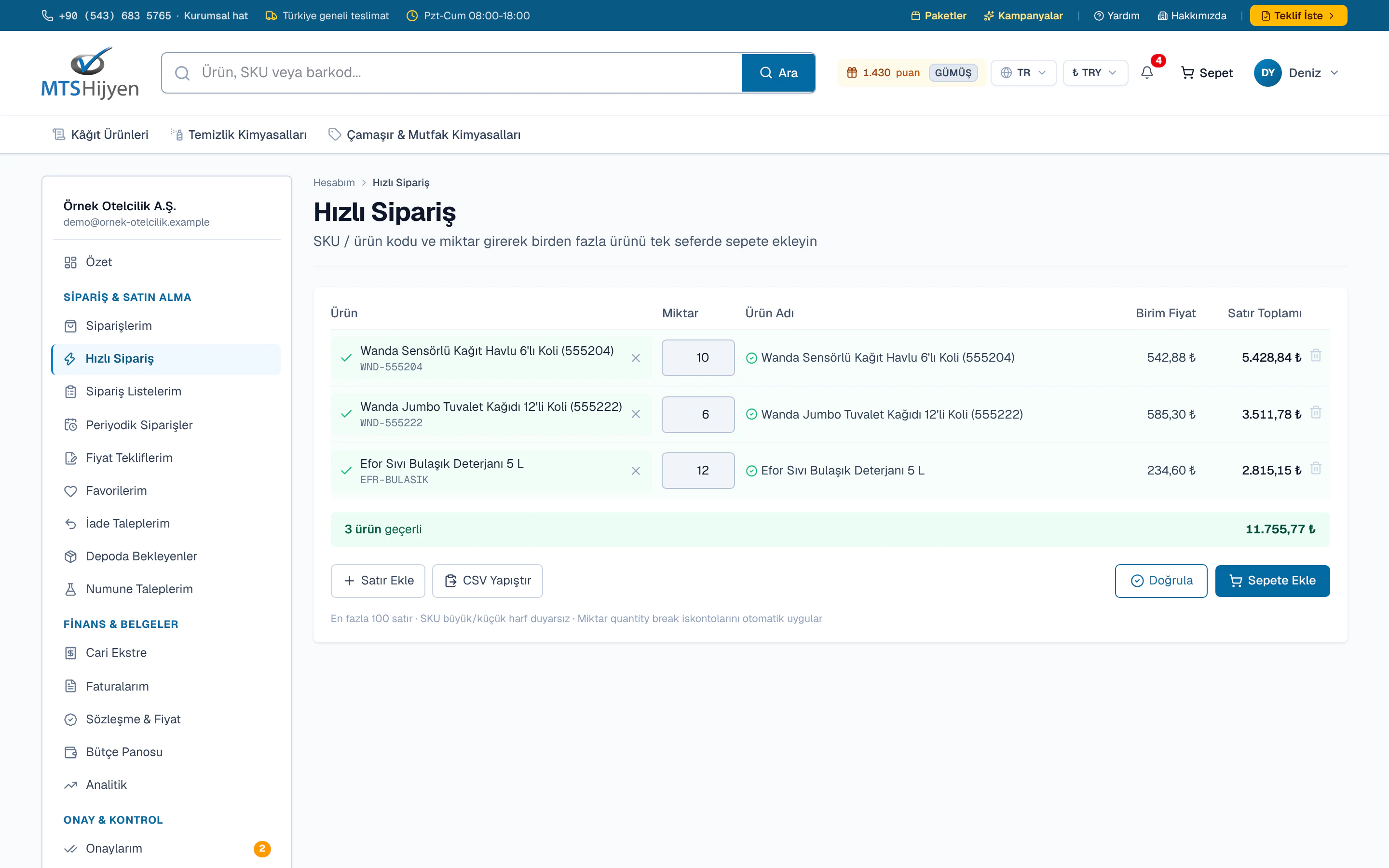
Create lists from your frequent products on the Order Lists page. You can reorder the same products with one click.
On the cart page, type your code in the Coupon code field and click Apply. The discount is reflected in the subtotal.
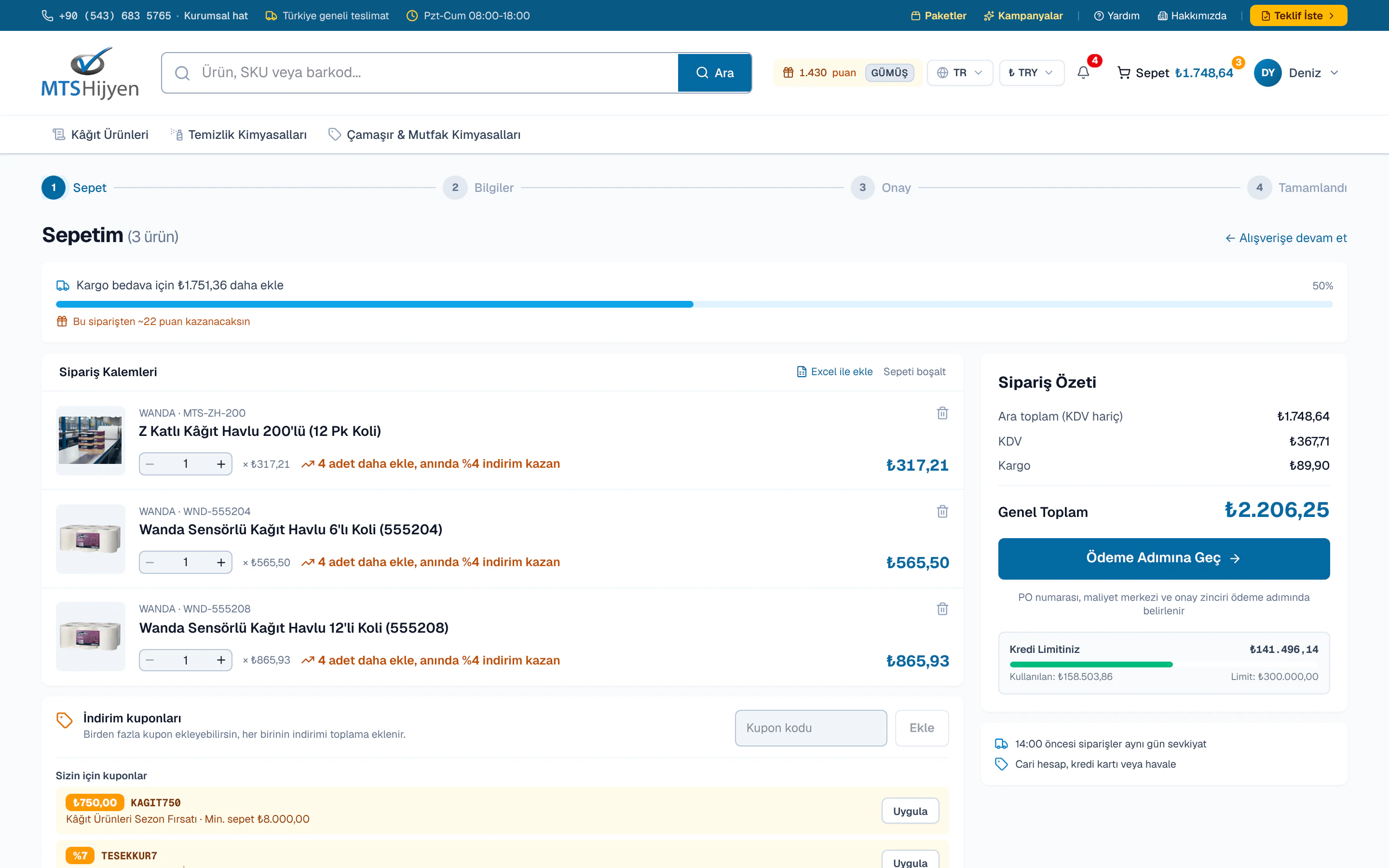
Check the products and the total, then click Proceed to Checkout.
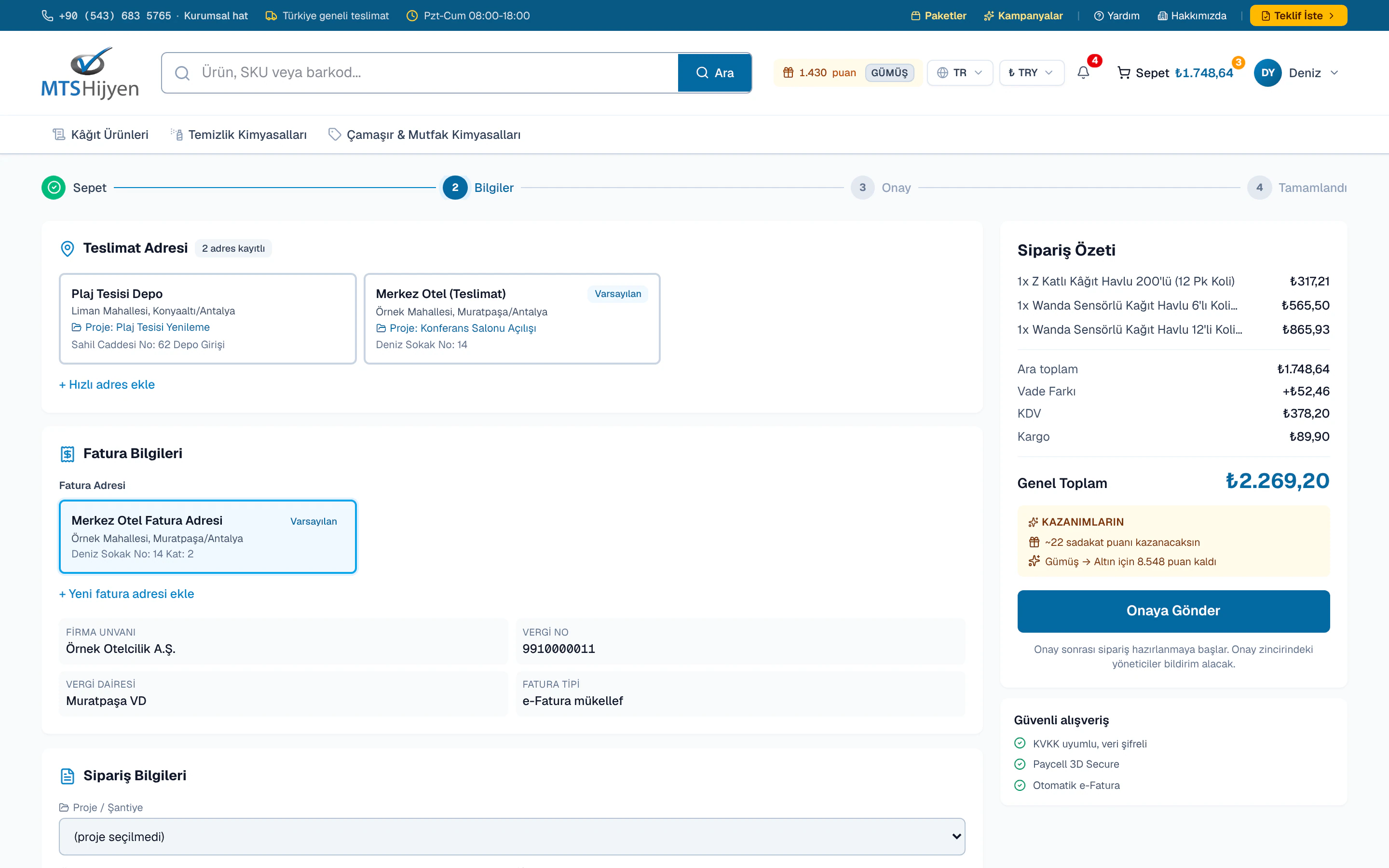
Choose your delivery address. Credit Card (3D Secure), Bank Transfer / Wire and Charge to Account appear depending on your account. When you are ready, click Place Order.
If card payment is enabled, click Add card on the Saved Cards page. You are redirected to your bank's 3D Secure screen for verification.
This link takes you to the page. If you are not signed in, the sign-in page opens first.